

Batch Processing
Background removal & store-ready output


RAYON AI STUDIO
Rayon AI Studio is a Windows desktop application for batch product photo processing; background removal, store-ready white canvas, watermarking, size reduction, and WebP export—faster and organized for e-commerce stores.
A visual loop of the real product photo preparation pipeline: from raw photo to compression, automated before/after comparison, and Rayon watermark.
Rayon Live Workflow
Live looping demonstration of image processing


Raw Photo Input
Raw photo enters the Rayon engine with its original background.
Smart Subject Detection
AI analyzes the subject, fine boundaries, and critical details.
Background Removal
Background is cleanly removed and subject is isolated.
Centering & Edge Refinement
Subject is centered on canvas with smoothed edges.
Compression & Output
Lightweight WebP export with auto before/after comparison.
Rayon Watermark
Optional text or image watermark applied to final output.
This preview illustrates key transformation stages; real output depends on input image resolution and product type.
Real examples of e-commerce image preparation. Drag the slider to inspect edge accuracy and canvas quality.


Final quality varies depending on source photo resolution and object geometry; high-precision mode is recommended for complex contours.
See samples, then start free.
Start Free — 30 Bonus CreditsRayon is a complete processing pipeline for professional image preparation, not just a simple cutout tool.
Process an entire folder of product photos at once with controlled system resources.
Automatically selects the best processing pipeline for every image type.
Clean canvas, auto-centering, subtle shadows, and lightweight store-ready formats.
Automatically rejects uncertain results with zero credit deduction.
Repetitive manual work on hundreds of images drains your team's valuable time and focus.
Hours of repetitive Photoshop work for every single product batch.
Varying dimensions, mismatched canvases, and irregular quality across product pages.
Slow page loads, degraded SEO scores, and poor shopper experience.
Difficulty safeguarding brand images across massive product catalogs.
High per-image fees, internet dependency, and recurring subscription fatigue.
Long bottlenecks between raw photography and publishing live on the website.
A cohesive suite of practical features spanning folder selection to store-ready export.
Selects the optimal processing route for each unique image.
A dedicated mode fine-tuned for retail and e-commerce goods.
Optimized for budget hardware with minimal CPU/RAM utilization.
Excels at complex objects with delicate edges, hair, and intricate details.
Clean, consistent canvas ready for marketplace and catalog upload.
Perfect alignment and visual balance for every item in the frame.
Ultra-compact file sizes maintaining crisp visual quality for the web.
Export directly into your target web or e-commerce format.
Protect your proprietary brand assets across batch exports.
Smooth execution prevents system freezes with one-click safe abort.
Images that do not meet confidence thresholds are skipped with zero credit charge.
Transparent reporting on execution times, compression ratios, and output counts.
Try these capabilities on your own photos.
Start Free — 30 Bonus CreditsA lightweight interactive preview of Rayon UI: configuration controls on the right, command panel on the left, batch queue, and live preview.
Select input, choose output specs, and start batch
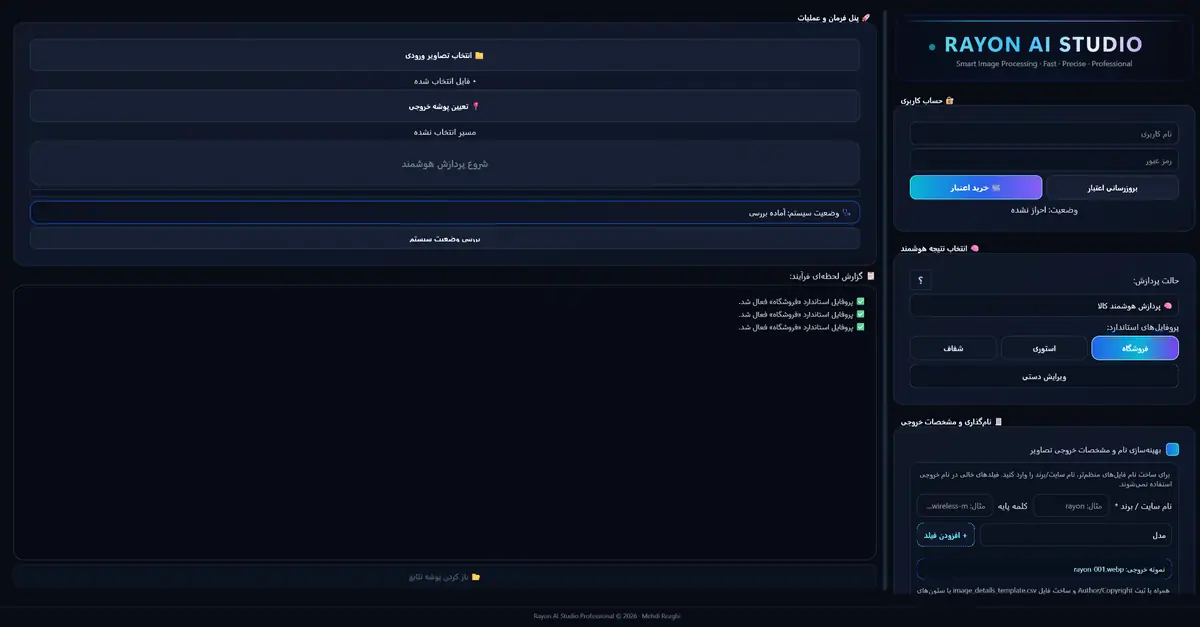
User accounts, profiles, naming, output format & watermark
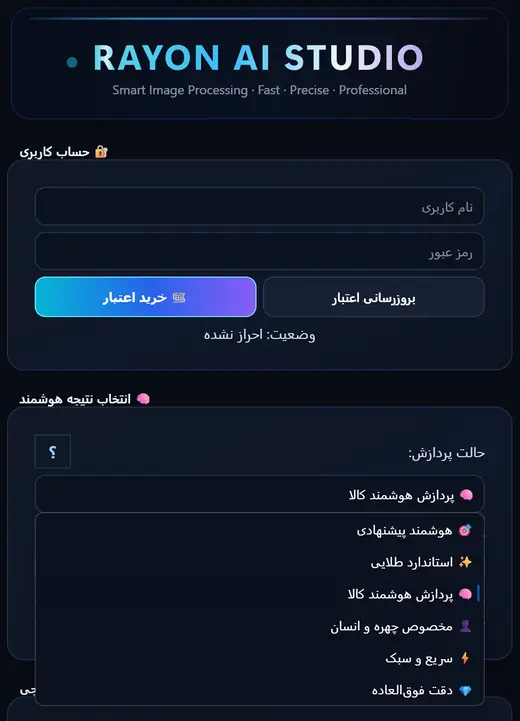
Processing Summary (Sample)
Demo images are compact, optimized representations of the native application to maintain website performance.
Want to experience this workspace with your own files?
Start Free — 30 Bonus CreditsSign up to receive 30 complimentary test credits. Credits are only charged for successfully processed images.
For testing Rayon hands-on
Free
30 bonus image credits
Ideal for small online shops
$19
· 100 image credits
Best for active stores & catalogs
$69
· 500 image credits
For content teams & high-volume pipelines
$119
· 1,000 image credits + API
Credits are only consumed for successful outputs. If Rayon flags an output as uncertain, the image is skipped without deducting credit.
Native Windows desktop application for image processing; core computation is on-device, and an internet connection is only needed for account login, licensing, and updates.
Rayon AI Studio is the product of continuous hands-on development, rigorous testing on real e-commerce photos, and fine-tuning for daily merchant workflows. Our focus is not just showcasing AI technology—it is delivering dependable, production-ready image outputs for online sales, websites, and content production.
Rayon is steadily evolving into an indispensable, reliable image powerhouse for e-commerce, driven by regular user-centric updates and listening to actual sellers.
Grounded in extensive field testing with real-world retail product photos.
Calibrated for the everyday photos sellers capture with phones and cameras.
Modular foundation built to integrate emerging computer vision and generative AI models.
Prompt assistance and guidance whenever you need help.
Clear, direct answers to the most common questions, without technical jargon.
Rayon is a Windows desktop application. The core image processing runs on your own hardware. Internet is required only for login, license activation, and periodic updates.
Credits are consumed only for successful, high-confidence outputs. If an image result is deemed uncertain or rejected, it is skipped with zero credit deduction.
While Rayon is exceptionally tuned for product photos, it is equally great for bulk content creation, watermarking, catalog preparation, and batch visual pipelines.
Retail items, packaged goods, bottles, shoes, accessories, and online inventory yield excellent results. For ultra-fine structures, High-Precision Mode is available.
Yes! When you register, you automatically receive 30 complimentary image processing credits to evaluate quality and performance on your own files.
Registration, checkout, and license management occur seamlessly through our connected account portal, which the site guides you to directly.
Contact our team for Windows downloads, starter onboarding, licensing assistance, custom plans, or a live software demonstration.
Phone
+98-21-91559098
support@airayon.com
Telegram / WhatsApp
+98-9037070593
Address
Tehran — Atlas Mall Commercial Complex, Pasdaran St., Suite A8